Forum Replies Created
-
AuthorPosts
-
I consider all small numbers as zero, and large negative dB-values as “no power”
Yes, it would be good to have a small mark on the symbol to identify input/sum port. It is always good to check that you get reasonable values.
73 – Hannes – SM6PGP
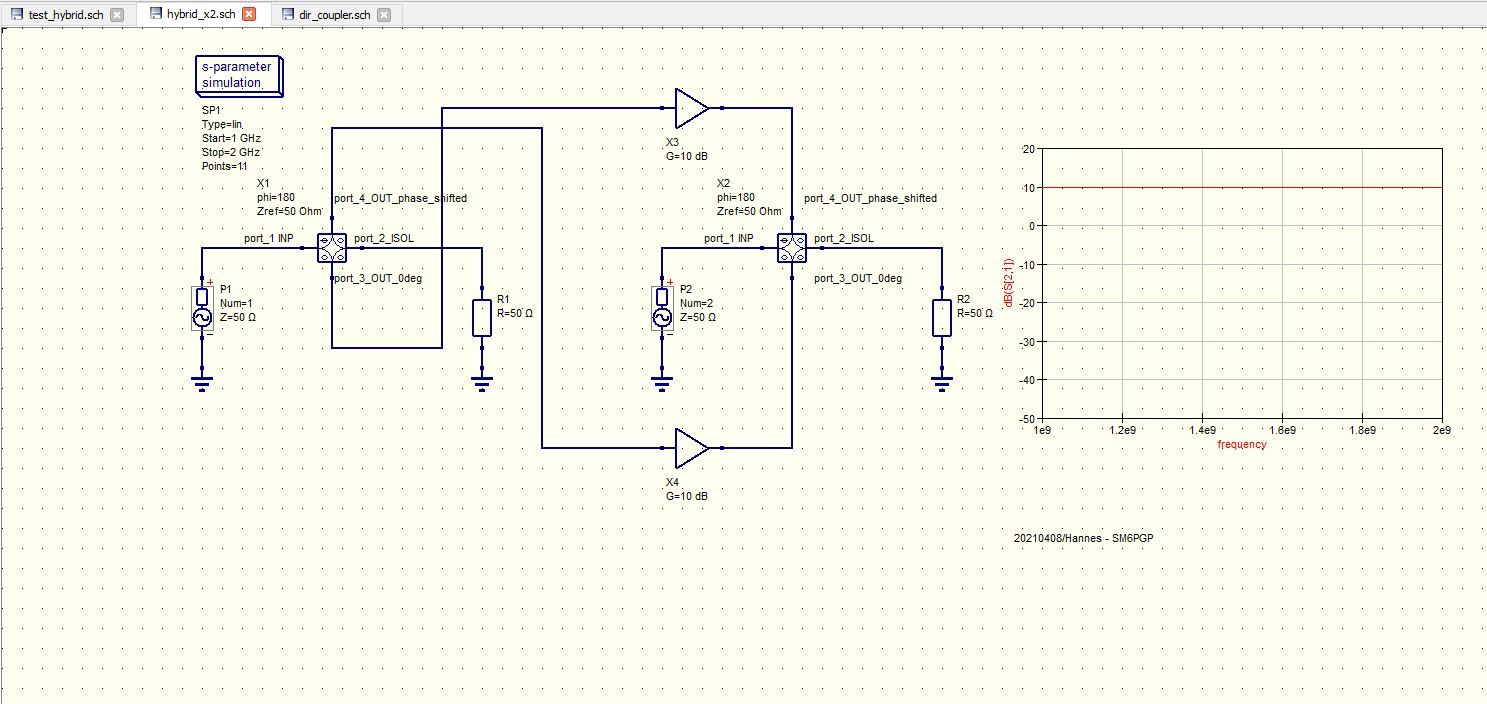
I tried these, the hybrid, 2 x hybrid and coupler – had to play around with the ports of the hybrid but these (se attachment) seem to give reasonable results.
I have also used the coupler before with reasonable results (90 deg phase shift)
73 – Hannes – SM6PGP
Hi Daniel !
Thanks for the new forum, it looks really nice !
There is one thing that I have been thinking about –
If I go to the first/start page I can not see that there have been new posts – I have to go into each sub-topic to find out if there are any new posts.
Right now – first page shows under “General things” last post 3 weeks 5 days ago, but if you go into General things it shows that last post was 1 hour 1 min ago.
I tried to reload the first page but it is still the same. Any work around or ideas how to easily see if new posts have been done ?
Best RGDs
Hannes/SM6PGP
4. October 2020 at 10:14 in reply to: How to prevent going to .dpl tab after clicking on simulate button #609Under File > Document Settings you reach the window “Edit Schematic Properties” – under the Simulation tab change the data display from *.dpl to *.sch
you can also reach “Edit Schematic Properties” by right clicking in the schematic or by CTRL+.
Hi !
You can use the EQUATION FUNCTION and for example in the schematic let C1=Cin, C2=Cm, C3=Cm C4=Cin.
In the equation box you add
Cin = 100 pF
Cm = 200 pF
Then you can tune or do what you need to do – and change the values simultanously.Good Luck !
/Hannes – SM6PGP
-
AuthorPosts